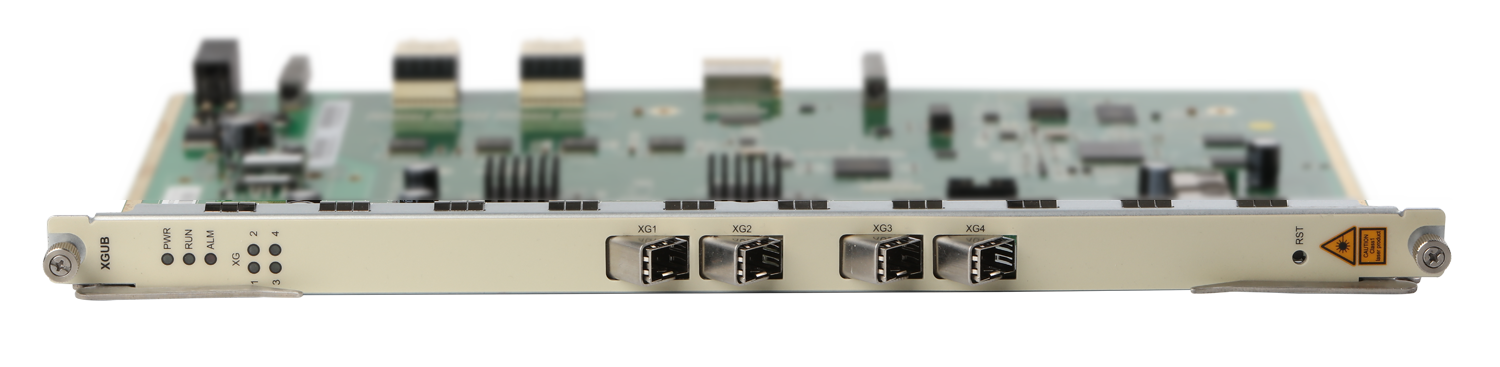



XGUB board indicator meaning
|
Silk screen name |
LED color |
Status |
Description |
|
PWR |
green |
Always bright |
Indicates that the power supply status of the board is normal |
|
Off |
Indicates that the board is not powered or is powered abnormally |
||
|
RUN |
green |
Slow flash |
Indicates that the CPU of the board is in normal operation |
|
Fast flash |
Indicates that the CPU of the board is in the initialization upgrade and can not be removed or restarted |
||
|
ALM |
red |
Always bright |
Indicates that the board has an alarm |
|
Off |
Indicates that there is no alarm on this board |
||
|
GE[1:4] |
green |
Always bright |
Indicates that the current GE port data link has been established (Link) |
|
Flashing |
Indicates that the current GE port has data transceiver (ACT) |
||
|
Off |
Indicates that the current GE port is not connected |